Linocut Tools: What I Actually Use (and What to Buy First)
The linocut tools I really use: Pfeil knives, a bamboo baren, Japanese-style paper, a LaserPecker for engraving wood, plus honest advice on a beginner set.
Advertising · partner linksLinks marked “partner link” go to other shops. If you buy there, I may receive a small commission; the price stays the same for you, and sale, shipping and invoice are handled by that shop.
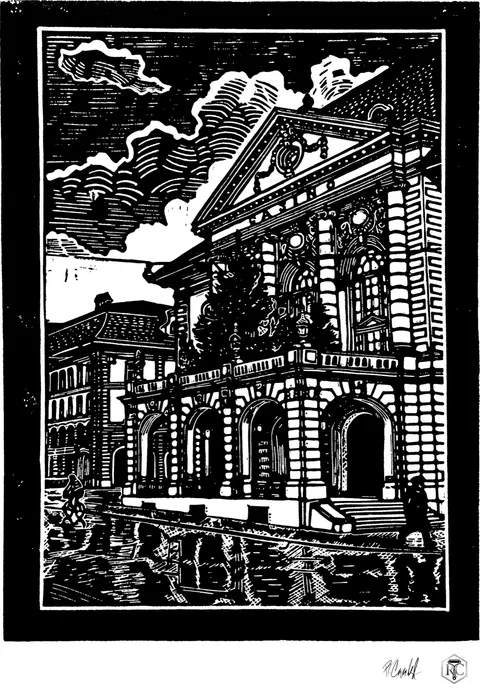
There isn’t a single printing press in my studio. No electricity for printing, no crank, no heavy machinery. My linocut tools are surprisingly few: a handful of knives, a baren, paper and ink.
Here’s what I actually use, what I’d recommend if you’re starting out, and why there’s a small laser sitting on my desk.
The best lino cutting tools? My Pfeil knives
I carve with Pfeil knives, made in Langenthal, Switzerland. Pear-wood handles, 70 mm blades. They’re the only knives I use. Every line you see in my shop was cut with them.
When you’re cutting long parallel lines, any wobble in the tool shows up straight away in the print. A blunt knife tears the lino. That’s why I stick with these.
There are two sets that make sense to me:
- Pfeil 6-piece set: the essentials, with the main shapes you need.
- Pfeil 12-piece set: the same idea, with intermediate sizes of V-gouge, U-gouge and flat. Handy when you want finer gradations.
If you like working with lines the way I do, you’ll appreciate those in-between sizes quickly. How those lines turn into light is part of my post on making a linocut from a photo.
Printing without a press: the baren
I print with a bamboo baren, 12 cm across. Every sheet in the shop was printed with it. No electricity, no press.
The idea is simple: ink the block, lay the paper on top, rub the back in small circles with the baren until the ink has transferred, then lift. It takes longer than a press, and that’s exactly why every sheet comes out slightly different. I pull each print singly, and the small variations in the ink are proof that no machine was involved.
Honestly, I’ve never owned a press, not even a small one. For my prints I haven’t missed it.
Paper and ink for printing by hand
For my originals I use Hahnemühle Sumi-E, a Japanese-style paper at 80 g/m². It’s natural white, slightly rough and very absorbent, which matters a lot when you print by hand.
If you’d like to try a thin Japanese paper, Awagami Hosho at 80 g is a good option. With paper that thin, the baren pulls the ink off the block cleanly.
For ink, the main thing for beginners is easy clean-up. Caligo Safe Wash, for example, washes off with soap and water, which is a real plus at the kitchen table.
Laser engraving wood: my LaserPecker review
Next to the knives and the baren there’s a small laser. I use the LaserPecker LP2 to engrave wood and card: labels, boxes, gift tags. It’s small and handheld.
I don’t use it for the linocuts themselves. Every line on the block is carved by hand. The laser is for everything around the print: labels, packaging, little tags in wood or card.
If you want to engrave more materials, have a look at the LaserPecker LP4. It has two lasers: a diode laser for wood, leather and card, and an infrared laser for metal and plastic.
My experience in short:
- For laser engraving wood and card, the LP2 is plenty.
- If you also want to mark metal or plastic, you need the LP4’s infrared laser.
- Laser engraving doesn’t replace linocut, but it’s a lovely companion for everything around it.
Linocut set for beginners: where to start?
My honest advice: don’t buy the most expensive kit first. You don’t know yet whether you’ll stick with it. It took me several attempts myself.
- To try it out at the kitchen table: the Essdee 22-piece set is the cheapest honest start. It’ll tell you quickly whether you enjoy carving.
- Once you know you’ll stay: Jackson’s curated set is a solid next step.
- Once it’s got you hooked: that’s when Pfeil knives are worth it. Every line in my shop was cut with them.
Add a baren, a paper that takes ink well, and plenty of patience. That’s really all you need.
One more tip that doesn’t come in any box: always carve away from your body and keep your other hand behind the blade. Sharp knives are actually safer than blunt ones, because you don’t have to push as hard.
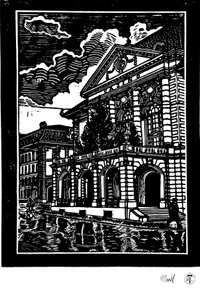
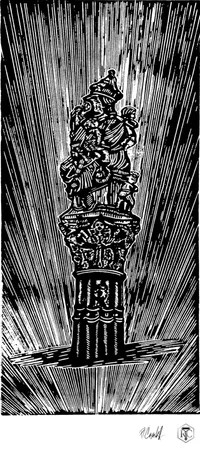
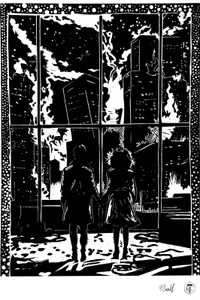
If you want to see what comes out of these tools, browse all the originals in the shop. And to follow a print from photo to paper step by step, read how to make a linocut from a photo.
Tools from this article
- Pfeil Linolschnitt-Set, 6 WerkzeugeClassic Hand Tools · partner linkTo Classic Hand Tools ↗
- Pfeil Linolschnitt-Set, 12 WerkzeugeClassic Hand Tools · partner linkTo Classic Hand Tools ↗
- Bambus-Baren 12 cmJackson's Art Supplies · partner linkTo Jackson's Art Supplies ↗
- Awagami Hosho Japanpapier 80 gJackson's Art Supplies · partner linkTo Jackson's Art Supplies ↗
- Caligo Safe Wash Relief-Farbe, SchwarzJackson's Art Supplies · partner linkTo Jackson's Art Supplies ↗
- LaserPecker LP2LaserPecker Europe · partner linkTo LaserPecker Europe ↗
- LaserPecker LP4LaserPecker Europe · partner linkTo LaserPecker Europe ↗
- Essdee Linolschnitt-Set, 22 TeileJackson's Art Supplies · partner linkTo Jackson's Art Supplies ↗
- Jackson's Curated Set LinolschnittJackson's Art Supplies · partner linkTo Jackson's Art Supplies ↗
Questions
What is a good linocut set for beginners?
For a first try at the kitchen table, the 22-piece Essdee set is enough. Once you know you'll stick with it, a curated set like Jackson's, or Pfeil knives, is worth it.
Do I need a printing press for linocut?
No. I don't own a press at all. Every sheet in my shop is printed by hand with a bamboo baren.
Can a LaserPecker engrave wood?
Yes. I use the small LaserPecker LP2 to engrave wood and card, for labels, boxes and gift tags.